OVERVIEW
Export current page option allows the user to export all records for the selected view in the CSV, TSV, Excel or HTML Format
HOW TO EXPORT CURRENT PAGE:
In order to Export all records, follow these steps:
- Choose the module from the sidebar, then select the project from the project selector drop-down list at the top of the left pane (if applicable) and click the List View icon.
- Select the Required Work Item
- Select a filter from the Filter selection list
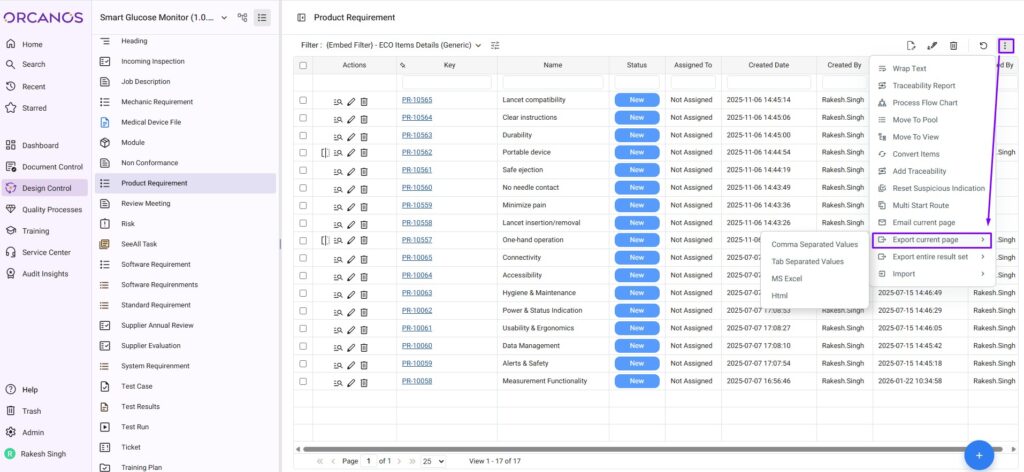
- Select the Export current page option from More Actions Icon
- User gets 4 more options to select the format in which user wish to save the exported data
- Select the Format as Comma Separated Values/Tab Separated Values/ Ms Excel/ Html
- File gets saved on local system
Export of Records with Description field may take long time. Instead user can use Description text field