Overview
The main purpose of the Training Management module within Document Control is to automate and manage training activities, specifically ‘Read and Understand’ training tasks triggered when a new document revision is released. When a new DMS document revision is approved, the system notifies the relevant users or roles to read the new revision and acknowledge their understanding by electronically signing their individual tasks.
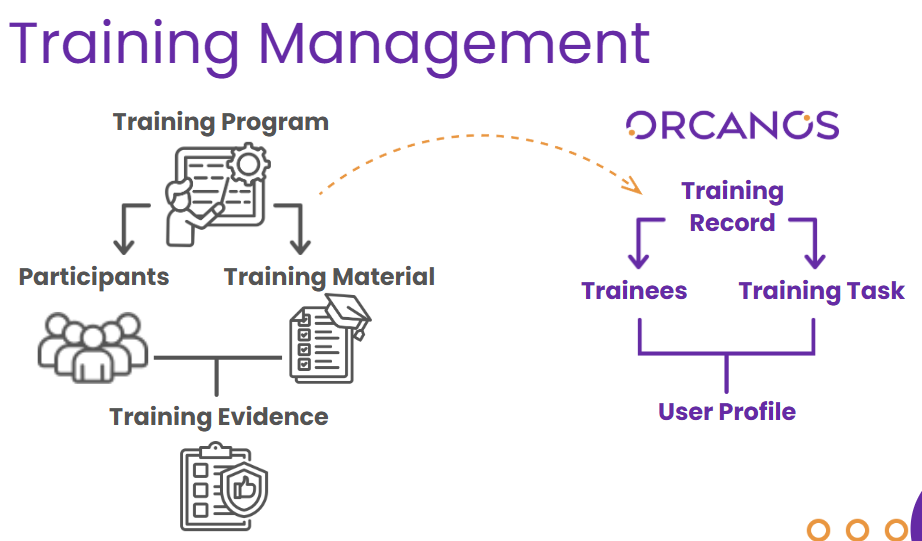
This diagram illustrates how Training Management aligns with Orcanos processes and terminology.
Key Terminology
DMS Item – A controlled document in the Document Control module. Mainly used to manage document revisions and approvals.
User Profile – An e-form in the Training Management module. Used to manage and track employee training activities.
Training Record – Created for each training process. The parent record that manages the entire training process.
Training Task – An item assigned to a specific trainee. The trainee must review the related document revision and e-sign the training task. It is linked to a training record.
Training Task Creation
Launch training tasks from a DMS item
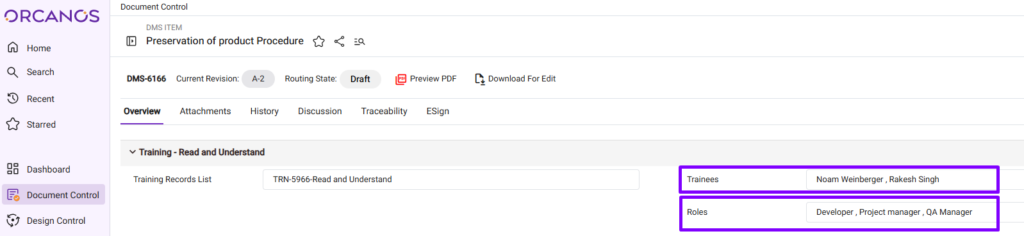
Trainees – A multi-selection field where you can select which specific individual employees the training tasks will be assigned to.
Roles (Job Titles) – A multi-selection field where you can assign training based on Job Titles. Any user in the system who holds the selected role will receive a training task related to this DMS item.
There are 2 methods to launch training tasks from a DMS item.
Automated – Before you start routing, make sure the fields in the training section of the DMS item are properly populated. The training tasks will be automatically created once the revision routing state is Approved (starting with version 6.0.1, you can select whether the training tasks are launched automatically).
Manual – If the DMS item revision has already been signed and approved, and training is required, you can launch it manually by clicking the ‘Launch Training‘ button.
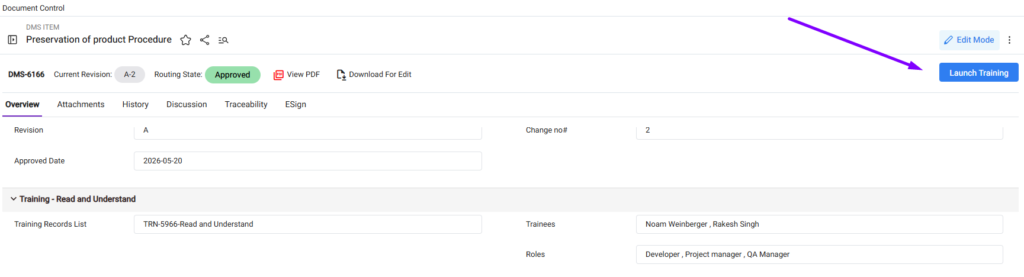
If there is already a training task for that revision and a specific trainee, launching manually will not create a duplicate training task for that trainee.
If this is a new approved revision, new training tasks will be launched.
Launch training tasks from the User Profile
The User Profile is an e-form in the Training Management module. Used to manage and track employee training activities.
You can access the User Profile in the Training module on the sidebar.
The Role (Job Title) field in the User Profile is automatically populated with the Job Title assigned to the Employee in Admin > Users.
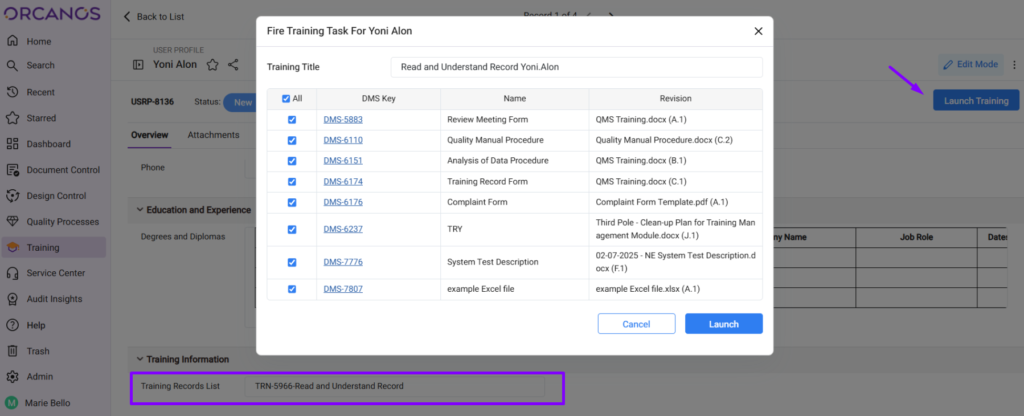
You can launch all training tasks related to the employee role by clicking the ‘Launch Training’ button in the User Profile.
Make sure the training record list field contains a ‘Read and Understand’ training record before launching.