This option enables you to delete the item from the Tree View.
The delete option is hidden when:
- Objects cannot be deleted, e.g., projects (project elements cannot be deleted).
- Delete permission is not available.
- An item is in freeze mode.
- An item is signed.
To delete an item
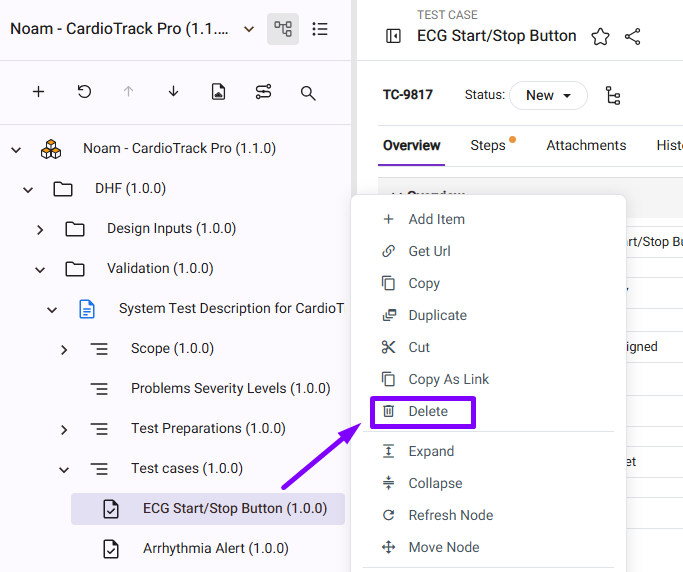
1. Right-click on the required item to be deleted, the menu will be displayed.
Find the Delete option on the right-click menu.
Note: To retain the item in the older version, make sure to uncheck the option to ‘Delete from older versions’ checkbox.
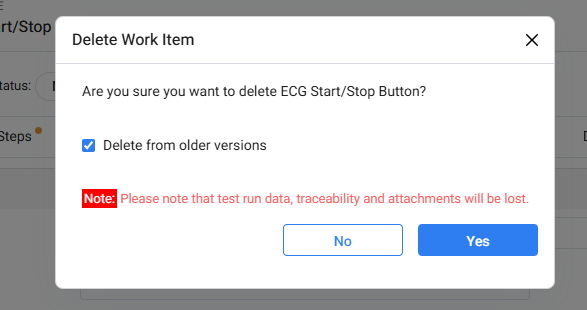
2. Click Yes to delete the item.