Overview
We have introduced a Dedicated Record Tab in version 6.0.1 to improve performance and provide a cleaner interface when working with large descriptions in your work items.
Previously, lengthy description content, which often included complex formatting, images, and dynamic filters, was displayed directly within the main Overview tab. As the amount of information grew, it could impact page loading performance, make the interface appear cluttered, and distract users during day-to-day data entry.
To address this, the description has been moved to a dedicated Record tab instead of remaining in the Description section of the Overview page. This separation improves overall page performance by loading detailed content only when needed, resulting in a faster, more responsive user experience.
The main reason for this tab is that Record serves as the output display of an eForm. By separating the record from the rest of the field metadata, it provides a structured display of your eForm content without unnecessary clutter
The Overview tab now focuses on the essential fields required to create and update records, while the Record tab serves as a centralized location for detailed instructions, reference information, and other supporting content. This approach provides a cleaner interface, simplifies navigation, and allows users to access comprehensive information only when necessary, ultimately improving both usability and system performance.
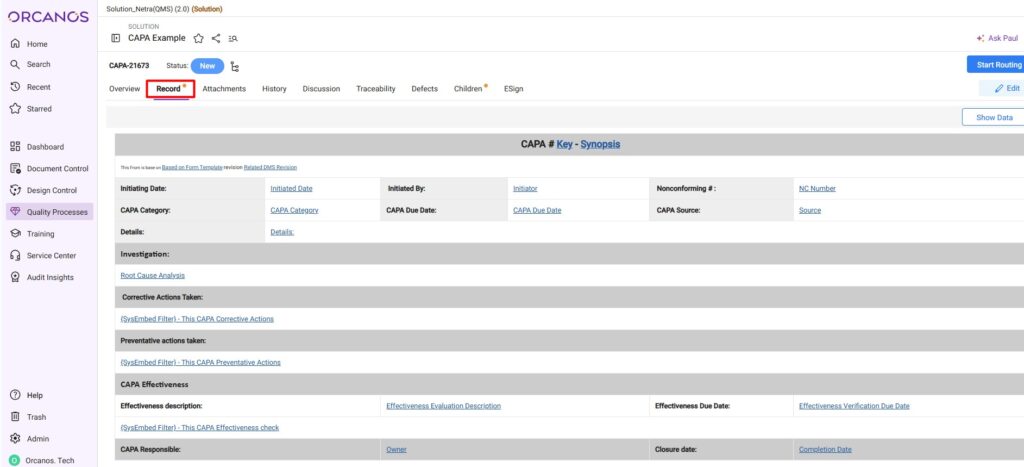 You can enable this new tab for any work item type by navigating to Admin > Work Items > Work Item Details (under the Details tab) and selecting “Display the Description field under the Record Tab”
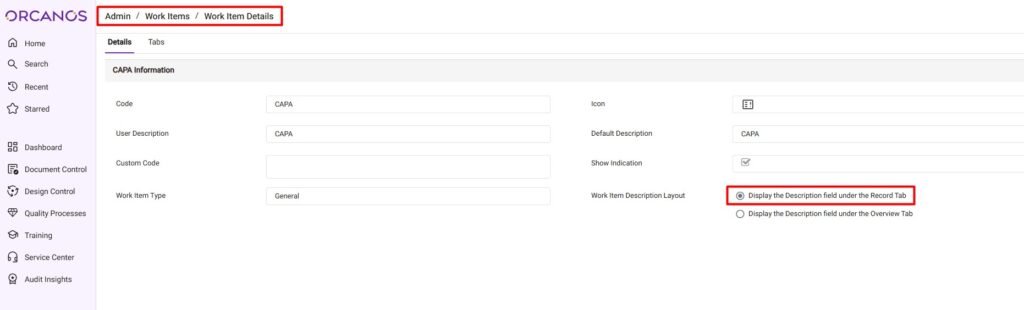
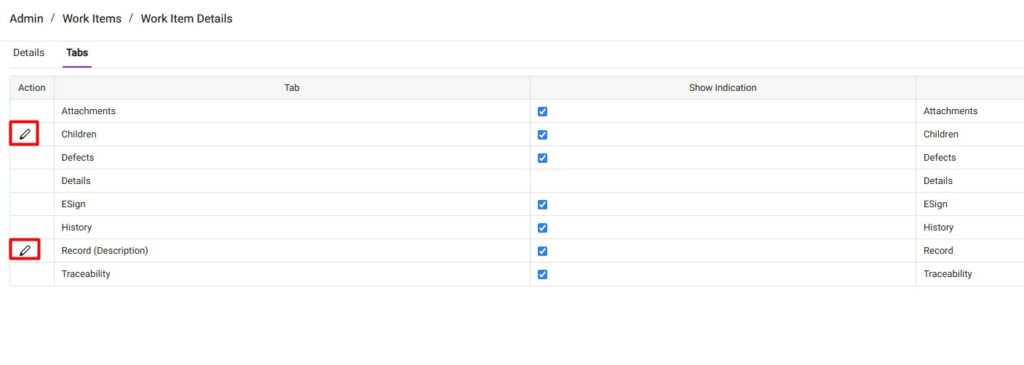
The Record and Children tabs feature customizable names, allowing you to tailor them to your workflow. Administrators can modify these names by navigating to Admin > Work Items > Work Item Details, selecting the target work item type, and clicking the Tabs tab.
Below are the Work Items where the Record Tab is by defualt enabled:
Note: Where you have the 1 in the System WI column, you are not able to change it because those are the systems WI.
| Work Items | System WI |
| Annual Training Plan | |
| Assembly | 1 |
| Asset | |
| Asset Task | |
| Audit | 1 |
| Bill of Material | 1 |
| Base Practice | |
| Calibration Form | 1 |
| CAPA | 1 |
| Process Checklist | |
| Complaint | |
| Complaint | 1 |
| Change Request | 1 |
| Design History File | 1 |
| Device Master Record | 1 |
| Design Review | 1 |
| Device History Record | 1 |
| Equipment | |
| DMS Folder | 1 |
| Incoming Inspection Form | 1 |
| Medical Device File | 1 |
| Non Conformance | 1 |
| PRT | |
| Project | 1 |
| Recall | 1 |
| Solution | 1 |
| Sprint | 1 |
| Supplier | 1 |
| Supplier Quality Report | |
| Execution Set | 1 |
| Execution Set Group | 1 |
| Folder | 1 |
| Training | 1 |
| Training Plan | 1 |
| Unit Execution set | |
| DMS Workspace | 1 |