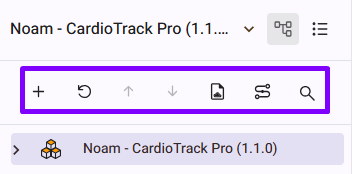
Users can see Menu icons in the Tree View that offer shortcuts for actions, including:
- New: Allows the user to create a New Work item for the selected Node.
- Refresh: Allows the user to refresh the tree.
- Up: Allows the user to move work item 1 above the selected node with every click.
- Down: Allows the user to move work item 1 after the selected node with every click.
- Online Document: Opens the Online document edit page in a new tab.
- Tracing Mode: Allows the user to trace one or multiple items simultaneously by opening the page in trace mode.
- Search: Allow the user to search for items inside the tree.
RELATED LINKS:
Toggle Checkbox Mode in the Product Tree
Reordering Items in a Product Tree