OVERVIEW
Test management helps teams maintain product quality, ensure compliance and create clear traceability between requirements, test cases, execution, and defects.
For medical device companies, test records are also an important part of the technical documentation required for regulatory submissions such as the EU MDR (Medical Device Regulation). Well-structured test documentation provides clear evidence of validation & verification activities, requirement coverage, and product quality.
In Orcanos, test management is a structured process that allows teams to plan, execute, monitor, and report testing activities in one connected system.
Test Planning – Build your STD (System Test Description)
The STD (System Test Description) is your test planning document. It defines what will be tested and how.
- Test objectives and scope.
- Test Cases and acceptance criteria.
- Traceability to requirements.
The STD ensures that testing is planned, structured, and traceable before execution.
Manage Test Cases under the STD
Each test case should be created under the STD document.
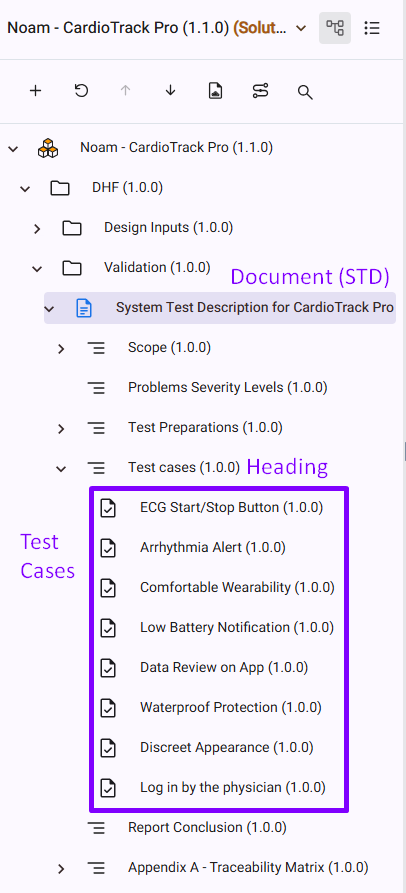
Best Practices for Test Cases
- Use clear, descriptive names.
- Define expected results.
- Keep each test focused on one verification objective.
- Avoid combining multiple validations into a single test.
Use the Steps Tab Properly
Test steps should be written inside the Steps tab in the Test Case work item.
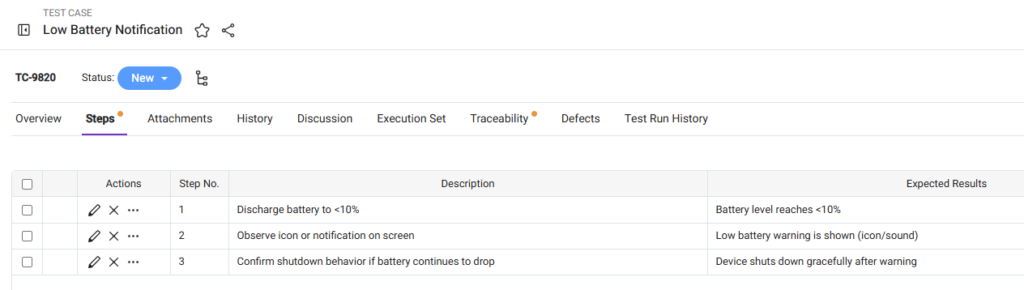
Best Practices for Test Steps
- Keep steps sequential.
- Use one action per step.
- Define expected results clearly.
- Make steps measurable and verifiable.
Structured steps improve execution consistency and defect reporting.
Maintain Traceability from Test Cases to Requirements
Every test case should be linked to at least one requirement.
Use the Traceability tab in the Test Case work item to link it to the relevant requirement(s).
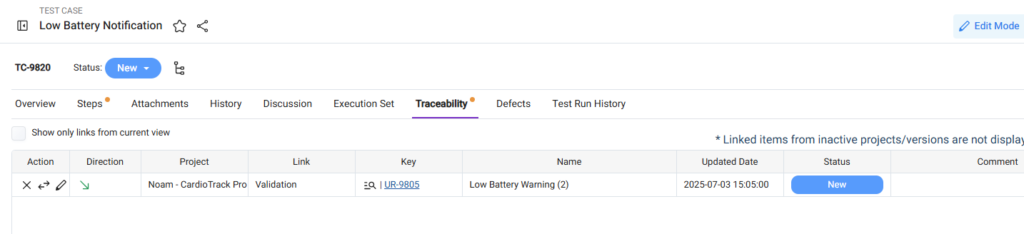
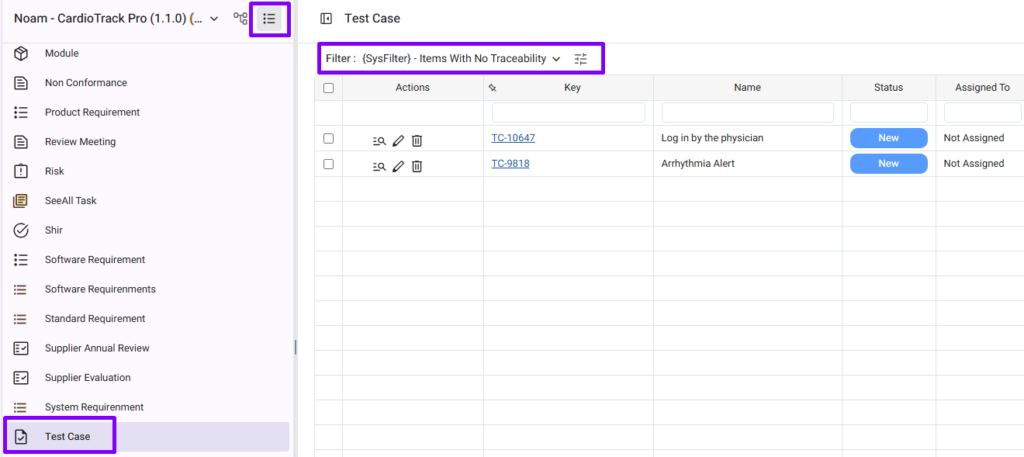
Use the ‘Items Without Traceability’ Filter
Missing traceability creates compliance gaps.
Orcanos provides a system filter to help identify test cases without requirement links.
Review this filter regularly to identify and complete missing links.
Build Your STR (System Test Report)
The System Test Report (STR) is your execution and results document. It provides objective evidence of what was tested, how it was executed, and the final outcomes.
While the STD defines the test plan, the STR captures the actual execution results. Create a dedicated Document work item for your STR to separate execution evidence from test planning.
Typical STR content includes:
- Executed test cases.
- Pass/Fail results.
- Deviations or failures.
- Related defects.
- Test summary and conclusions.
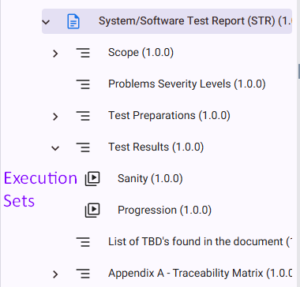
Manage Execution Sets under the STR
Execution Set(s) should be included in the STR document. Its description is automatically populated with a dedicated filter listing all test cases results for that set. The Execution Set and its results are exported as part of the STR.
This approach is recommended for several reasons:
- Execution results are included dynamically.
- Reporting stays aligned with actual execution.
- No need to modify the STD after execution.
Use the Test Run Suite Tab to Build Execution Sets
The Test Run Suite tab in the Execution Set work item allows you to add test cases to an execution set.
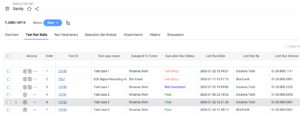
Best Practices for adding test cases to execution sets
- Group related tests together.
- Separate execution sets by version, release, or environment.
- Keep execution scope focused.
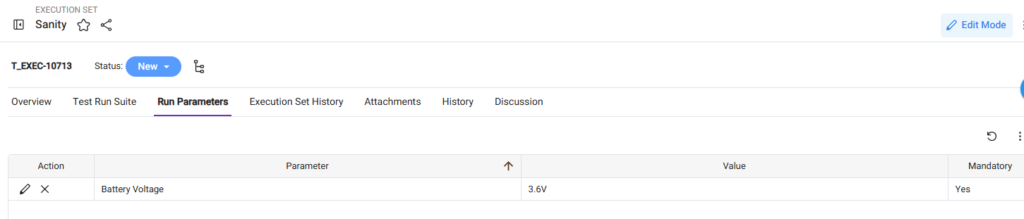
Use Run Parameters
Run parameters capture run-specific information.
These are the parameters the tester needs to select before executing a test case.
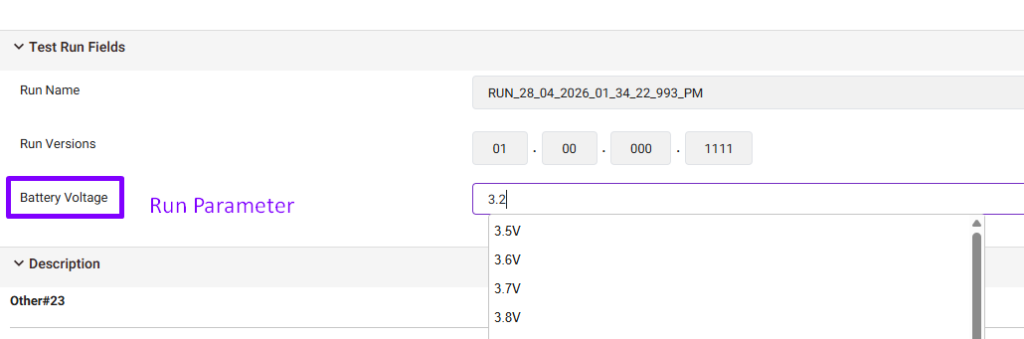
Examples:
- Serial Number
- Device Type
- Operating System
- Battery Voltage
You can set the run parameters in the Run Parameters tab in the Execution Set work item.
Best Practices for Adding Run Parameters
Make critical parameters mandatory.
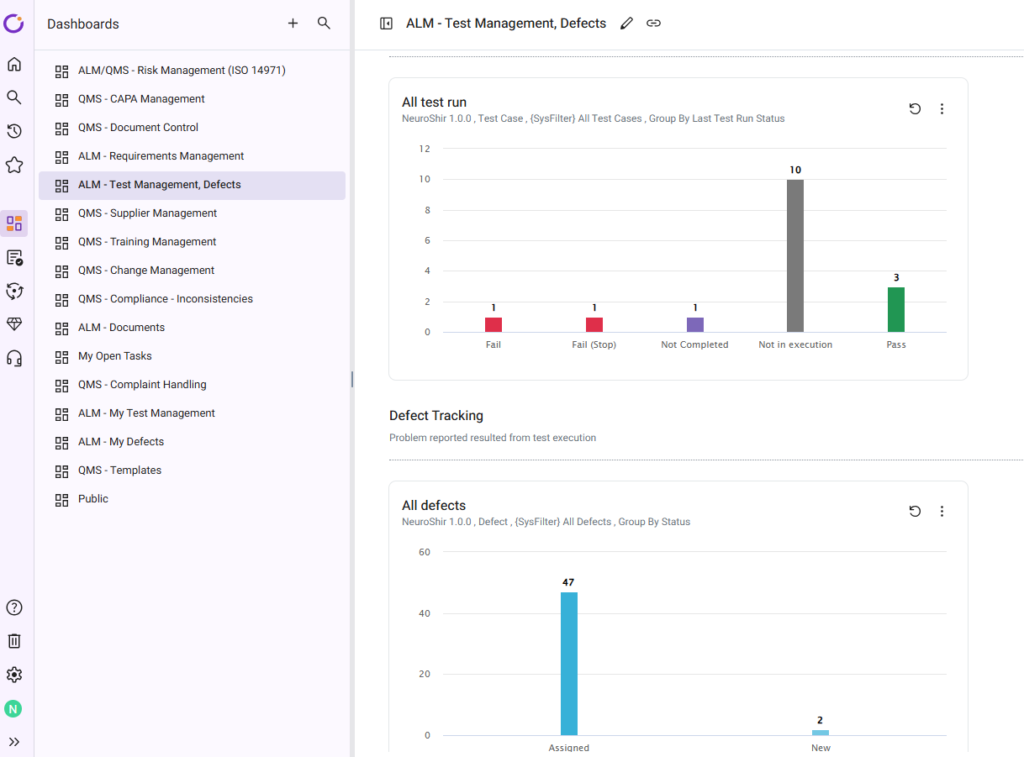
Use Dashboards to Monitor Test Progress
Orcanos provides out-of-the-box test management dashboards and panels.
Use dashboards to monitor:
- Execution Progress
- Pass/Fail Rates
- Open Defects
- Test Coverage
- Execution Trends