OVERVIEW
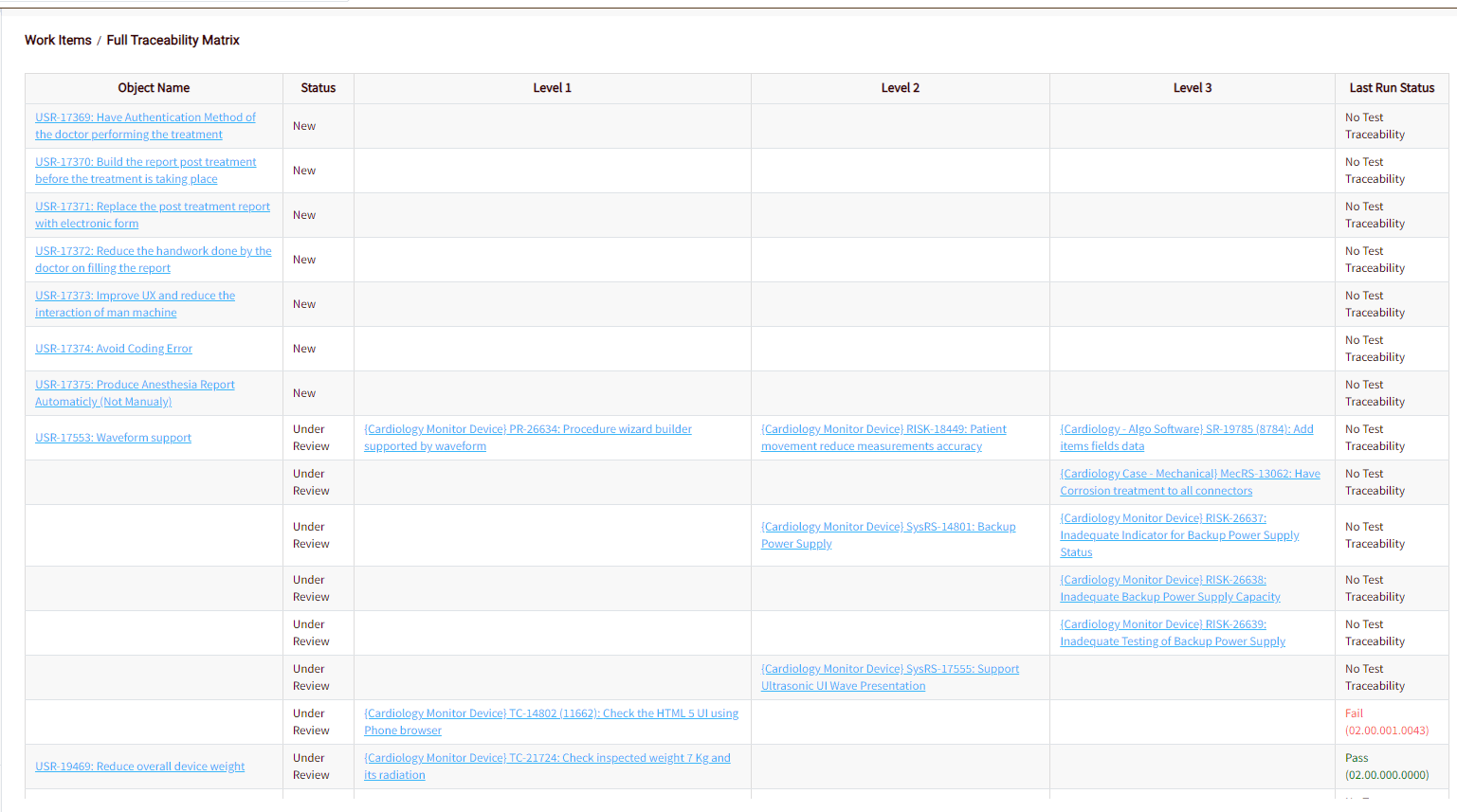
Traceability Report allows the user to view the traceability matrix up to 3 levels. It displays all the work items pointing to Filter results i.e: Downstream – where filter results are the target.
For example, if you have selected the filter of all risk work items, you might see the following report:
HOW TO VIEW TRACEABILITY REPORT
To view the Traceability report:
- Choose the module from the sidebar, then select the project from the project selector drop-down list at the top of the left pane (if applicable) and click the List View icon.
- Select the Required Work Item
- Select the filter
- Select the Traceability Report option from More Actions Icon (3 dots at the right, on top of the grid)
- A pop-up with the following options is displayed
- Hyperlink: To include a hyperlink for the items
- Include Project Name: To show the project name in the report.
- Click on the OK button. The report is displayed in a new tab.