OVERVIEW
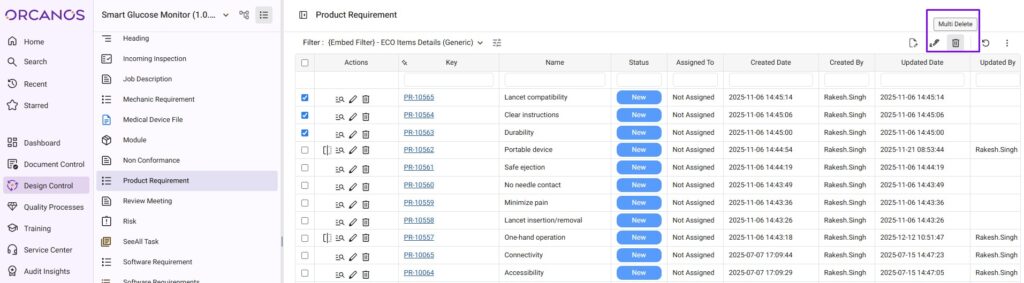
Multi Delete option allows the user to delete multiple records at one time by selecting the option.
HOW TO DELETE MULTIPLE ITEMS:
- Choose the module from the sidebar, then select the project from the project selector drop-down list at the top of the left pane (if applicable) and click the List View icon.
- Select the Required Work Item
- Select the Single/multiple Items by checking the Checkbox in the Work Item Grid
- Click the Multi Delete icon from top right side
User gets the option to delete the Items from the Current Version only or delete from the lower versions also
- Select Ok deletes the multiple records
Signed Items and freezed items cannot be deleted.