⭐ Your Go-To Items
When you start a work item in Orcanos, you mark it as important.
This helps you remember to look at them later.
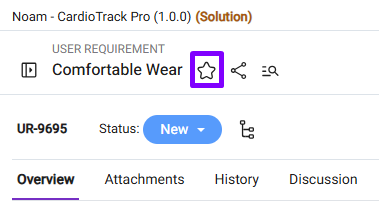
STAR A WORK ITEM
On the top right side, click on the Star icon
SEARCH YOUR STARRED WORK ITEMS
You can open the list of Starred work items from the sidebar

The List of all starred items from all the projects gets listed in the Grid
The Grid shows the following information
- Actions: Remove and Locate in Tree icons
- Remove: Remove the Star from the work item
- Locate in Tree: Opens the work item in the tree
- Key: The Work Item ID and code which is hyperlinked
- Project: The Project/Solution name along with the version
- Name: The work item’s name